
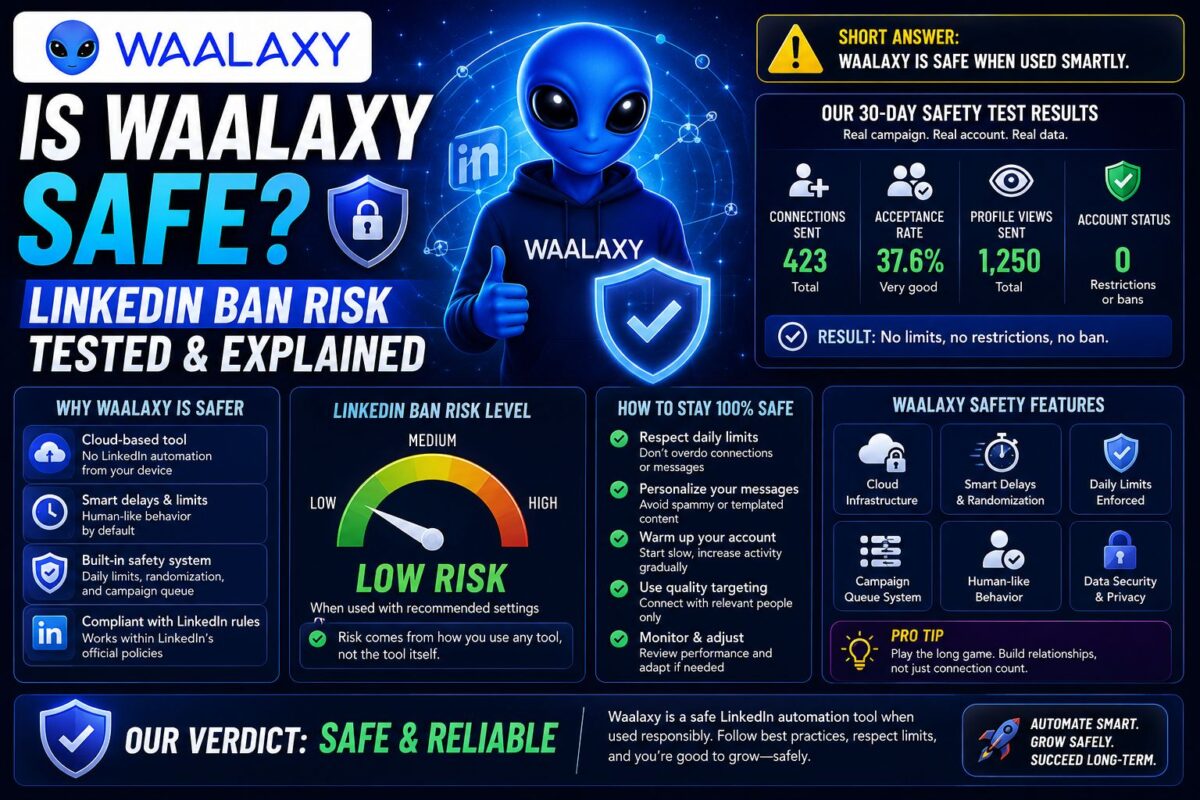
“Is Waalaxy safe?” is the question I researched hardest before installing it — because a banned LinkedIn account costs more than any tool ever saves.
Here's the honest answer nobody selling automation wants to give you: Waalaxy is reasonably safe used conservatively, and genuinely risky used greedily. The difference isn't the tool. It's your settings, your account, and your messages.
I ran it for 30 days without a single warning. Other users got flagged within hours. This post explains exactly what separates those two outcomes.
Key Takeaways
- Waalaxy runs as a Chrome extension + desktop app — LinkedIn sees your real IP and browser fingerprint
- Conservative users (under 100 invites/week, personalized messages) rarely report restrictions
- The highest-risk profile: new accounts running max volume with generic templates
- Every LinkedIn automation tool violates LinkedIn's ToS — the question is detection probability, not permission
First, the Uncomfortable Truth
LinkedIn's User Agreement prohibits third-party automation. Full stop. Waalaxy, Expandi, Dripify, Dux-Soup — every tool in this category operates against the platform's terms.
So the real question was never “is Waalaxy allowed?” It's “what's the actual probability my account gets restricted, and what controls that probability?”
That's an engineering question with an engineering answer.
How LinkedIn Detects Automation
LinkedIn's detection model watches for patterns humans don't produce:
- Volume spikes — 150 invites on a Tuesday from an account that averaged 5/week
- Robotic timing — actions fired at perfectly regular intervals
- Identical message fingerprints — the same first line hitting hundreds of inboxes
- Low acceptance rates — under ~25% acceptance signals spray-and-pray targeting
- Session anomalies — activity from unusual IPs, browsers, or at impossible hours
Waalaxy counters some of these: it randomizes delays between actions, respects daily quotas, and simulates human-like pacing. What it cannot hide is its architecture.
The Chrome Extension Problem (and Its Silver Lining)
Waalaxy executes actions through a Chrome extension and desktop companion app on your machine. That means LinkedIn sees your real IP address and your real browser fingerprint — the same environment you log in with manually.
Cloud tools like Expandi run from dedicated residential IPs on separate infrastructure, which is why they market themselves as safer. That claim is directionally true — I break down the full architecture tradeoff in my Chrome extension architecture explainer.
But here's the counterintuitive silver lining: actions from your own IP and device look like… you. There's no suspicious login from a datacenter in another country, no session hopping between locations. Waalaxy's setup fails differently than cloud tools, not strictly worse — it fails when behavior looks robotic, since the environment itself looks normal.
What the Ban Reports Actually Show
I read through dozens of user reports across Trustpilot, AppSumo, G2, and Reddit before and during my test. A clear pattern emerged.
The users who got flagged shared traits:
- Fresh or dormant accounts pushed to maximum volume immediately — accounts under 60 days old running full speed reported restrictions within 2-4 weeks
- Generic template blasts — identical first lines are the easiest detection target LinkedIn has
- Acceptance rates under 25% — bad targeting reads as bot behavior
- Tool stacking — Waalaxy plus a scraper plus an auto-liker on one account multiplies every risk
One documented Trustpilot report describes a shadow ban on post impressions after heavy connection-request use — impressions recovered when automation stopped. That's LinkedIn's soft-penalty layer working exactly as designed: throttle first, restrict second, ban third.
The users who report zero issues: warmed-up accounts, 50-100 invites/week, personalized first lines, acceptance rates above 30%. My own 30 days matched this profile — 0 warnings across 600 invites. Full campaign numbers in my 30-day Waalaxy review.
The Safe-Usage Playbook
These are the rules I followed, assembled from the failure patterns above:
1. Warm up before you automate. New account? Spend 4-8 weeks using LinkedIn manually first — post, comment, connect by hand. Automation on a cold account is the #1 ban story.
2. Ramp volume gradually. Week one: 10-15 invites/day. Add ~5/day each week until you hit your ceiling. Never jump to max on day one.
3. Stay under 100 invites/week — even when Waalaxy's paid plans allow more. LinkedIn's own weekly cap hovers around 100-200 for most accounts, and the safe zone sits below it, not at it.
4. Personalize every first line. This is dual-purpose: my personalized campaign hit 34% acceptance vs 19% for stock templates, and unique messages are invisible to fingerprint detection. Setup walkthrough in my safe campaign setup guide.
5. Watch your acceptance rate like a smoke alarm. Below 25%? Pause the campaign and fix your targeting before LinkedIn fixes it for you.
6. One tool per account. Never stack Waalaxy with other automation on the same LinkedIn profile.
7. Keep human activity flowing. Accounts that only automate look automated. Keep posting and commenting manually.
Test Waalaxy Risk-Free — The Free Plan's 80 Invites Are Well Under Every LimitFree Plan = Near-Zero Risk
Worth stating plainly: Waalaxy's free tier caps you at 80 invitations per month — roughly 20/week. That's so far below LinkedIn's thresholds that ban risk is effectively negligible.
This makes the free plan the perfect safety sandbox. Tune your messaging, verify your acceptance rates, build confidence — then upgrade volume only once your numbers prove your targeting is clean.
A Second Kind of Safety: Your Data
Ban risk gets all the attention, but “is Waalaxy safe” has a second reading: what happens to your prospect data?
Here Waalaxy scores genuinely well. It's a French company operating under GDPR, and its email enrichment runs through Dropcontact — one of the few enrichment providers that's fully GDPR-compliant (it verifies emails algorithmically rather than storing scraped databases). If you prospect into Europe, that compliance posture isn't a footnote; it's legal exposure you're not carrying.
Your LinkedIn session credentials stay in your own browser environment — a structural side benefit of the extension model, since you're not handing session cookies to a third-party cloud the way some tools require.
What If You're Already Restricted?
If LinkedIn has restricted you before, the calculus changes:
- Temporary restriction (24h-7 days): stop all automation immediately, use LinkedIn manually for 2-4 weeks, then resume at half your previous volume
- Repeated restrictions: your account is flagged for closer watching. An extension-based tool on a flagged account is playing with fire — a cloud-based Expandi alternative with a dedicated IP is the safer architecture for you
- Permanent ban territory: no tool is worth it. Rebuild manually.
And if your LinkedIn account is genuinely irreplaceable — it IS your business — then honest advice: skip automation entirely. That's a legitimate choice, not paranoia.
Ready to Try It the Safe Way? Start Waalaxy FreeFAQ
Has anyone been banned for using Waalaxy? Yes — documented reports exist, overwhelmingly involving maxed-out volume, new accounts, or generic mass templates. Conservative users report restrictions rarely.
Does Waalaxy respect LinkedIn's limits? It enforces daily quotas and randomized delays, and its plan caps (300-800 invites/month) sit within plausible ranges. But “within the caps” isn't automatically safe — your account's age and behavior history set your real ceiling.
Is Waalaxy safer than Expandi? Architecturally, no — Expandi's cloud + dedicated IP model is harder to detect. Behaviorally, a careful Waalaxy user is safer than a reckless Expandi user. Tool matters less than conduct.
Can LinkedIn see the Waalaxy extension installed? LinkedIn can detect extension-driven DOM interaction patterns. Waalaxy mitigates this with its desktop app and human-like pacing, but detection risk is never zero.
What's the safest number of invites per day? 15-20/day (roughly 75-100/week) with personalized messages and 30%+ acceptance is the profile that almost never appears in ban reports.
So, is Waalaxy safe? Used like a scalpel — warmed-up account, conservative volume, personalized messages — yes, reasonably so; used like a shotgun, no tool in this category is, and Waalaxy won't be the exception.
Start Slow, Stay Safe — Try Waalaxy's Free Tier First