
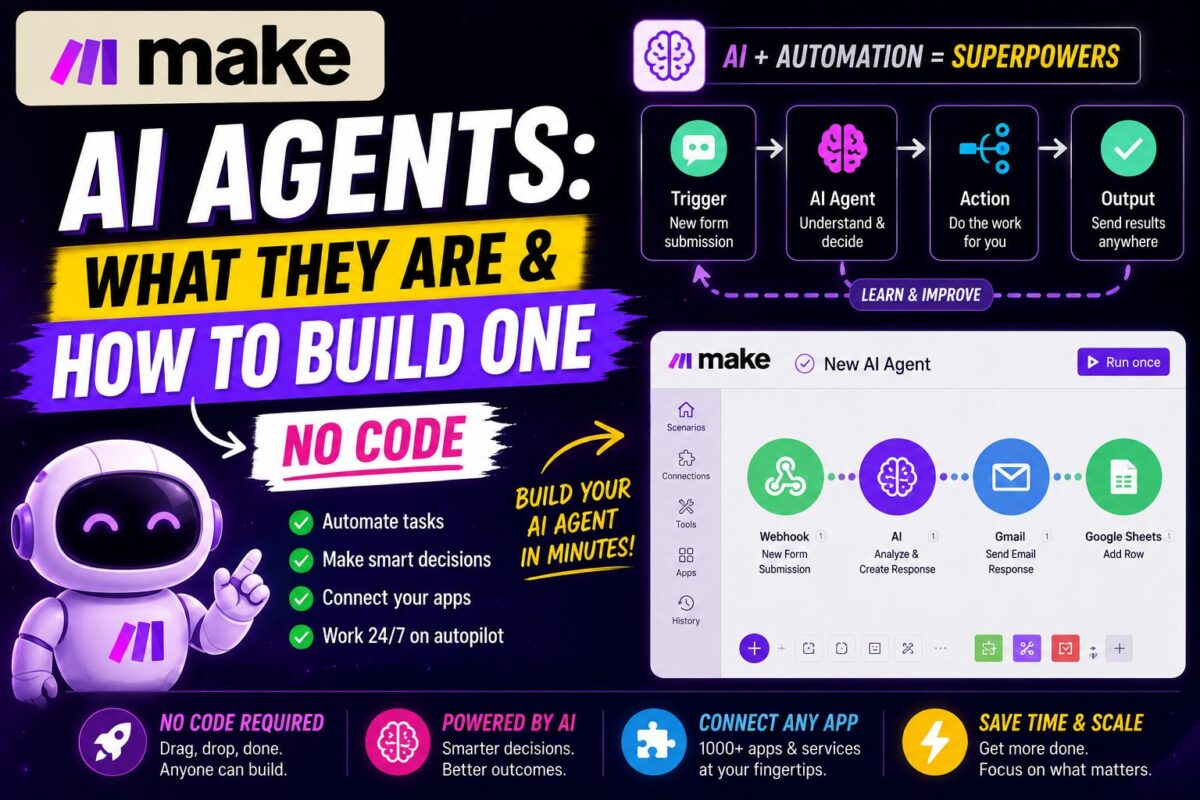
Make.com AI Agents crossed a threshold in 2026: on February 11, Make shipped its next-generation agents plus a Library of pre-built agents — turning what was a promising beta into the most accessible way to run reasoning AI inside real business workflows. Most content about them predates that release and describes a different, weaker product.
Here's what agents actually are, when to use one instead of a normal scenario, and how to build your first — no code required.
Key Takeaways
- A Make AI Agent reasons toward a goal and chooses which tools to use — and its “tools” are just Make scenarios you already know how to build
- The Feb 11, 2026 relaunch added shareable pre-built agents and a Library covering triage, research, inventory, and reporting
- Every decision is visible in a transparent Reasoning panel — no black box, and you can add manual approval gates
- Agents consume credits like any scenario as they call modules — budget agentic workflows carefully
Classic Automation vs AI Agents: The Real Difference
A classic scenario follows fixed rules: when X happens, do Y, always. Deterministic, predictable, cheap.
An agent pursues a goal: you describe the outcome, give it tools, and it decides the steps — including steps you didn't anticipate.
Make's own framing is the cleanest decision rule we've seen: if the workflow needs judgment or reasoning — especially with unstructured input like messages, emails, or documents — use an agent. If it just needs doing, use automation.
Concrete example from Make's demo: a contact-management bot on Telegram. The classic build required manually routing every intent (“add contact,” “update,” “search”) to sub-scenarios with an AI module guessing intent — brittle and laborious. The agent version simply gets the goal and the sub-scenarios as tools, then handles ambiguous requests, follow-up questions, and incomplete input on its own.
What Changed in February 2026
The relaunch matters for three reasons:
- Pre-built, shareable agents. The new Library of Agents contains ready-made examples for real workflows — inventory management, research, triage, reporting — not toy demos. You start from a working agent instead of a blank canvas.
- Full-solution sharing. Teams can now share complete scenario-plus-agent solutions rather than duplicating solitary agents, which fixes the biggest scaling complaint from the first generation.
- Available on all plans — including free, which makes this the cheapest way to experiment with agentic automation anywhere.
How to Build Your First Agent (Step by Step)
We'll outline the pattern using the classic example: an inventory assistant you talk to in Slack.
Step 1: Build the tools first
An agent's tools are ordinary scenarios. Create two:
- “List current inventory” — fetches product and stock data from your Sheet or database
- “Order new stock” — creates a purchase order or emails a supplier
If you can follow our beginner Make.com tutorial, you can build both — they're standard 3-4 module scenarios.
Step 2: Create the agent
In the AI Agents section, create a new agent. Choose your LLM, then write the system prompt — the agent's job description: “You are an inventory assistant. You can check stock levels and place orders. Confirm quantities before ordering.”
Step 3: Attach tools with clear descriptions
Add both scenarios as tools. The tool descriptions are the most important text you'll write — they're how the agent decides which tool fits a request. Be specific: “Returns current stock count for a named product” beats “inventory tool.”
Step 4: Connect an input and test
Wire a trigger scenario — Slack message in, agent invoked, response posted back. Then interrogate it: “How many units of X do we have? Order 50 more.” Open the Reasoning panel and watch it think: which tool it chose, why, what it did with the result.
That transparency is the trust mechanism. Add manual approval gates for consequential actions (like the actual purchase order) until the agent has earned autonomy.
Build this today — AI Agents are included on Make's free planThe Credit Question Nobody Mentions
Agents call modules, and every module call costs a credit — but unlike a fixed scenario, an agent decides its own step count. A vague goal can send it through more tool calls than you'd have scripted manually.
Budget rules we follow:
- Treat agent workflows like your branchiest scenarios when estimating volume
- Watch consumption weekly for the first month — details on the billing model in our Make.com pricing guide
- Keep tools narrow: one clear function each, so reasoning chains stay short
Where Agents Actually Earn Their Keep
The businesses getting results follow one principle: automation for what's predictable, AI where judgment is needed, both combined in one system. Real patterns worth copying:
- Reply triage: classify incoming email/DM replies by intent, route hot ones to a human — the highest-ROI agent in our own stack, and the core of our Make.com lead generation playbook
- Research assistants: answer team questions in Slack by querying your data sources
- Report generation: compile weekly metrics across tools, written up in natural language
- Support intake: understand unstructured requests, collect missing details via follow-up questions, then hand structured data to deterministic scenarios
For simpler non-agent inspiration to convert into tools later, raid our automation examples list — every classic scenario is a future agent tool. And the apps your agent can reach are, of course, bounded by Make's integration catalog — 3,000+ apps including 560 AI apps.
Start from a pre-built agent — open the Library of Agents freeAgent Design Principles That Prevent Expensive Mistakes
Ninety days of running agents in production distilled into four rules:
1. Narrow tools beat clever prompts. An agent with five single-purpose tools (“check stock for one product”) outperforms one with two Swiss-army tools (“manage inventory”) — reasoning chains stay short, tool selection stays obvious, and credit consumption stays predictable.
2. Start read-only. First deployment: the agent can look things up and report, nothing else. Add write actions (creating records, sending messages) one at a time as the Reasoning panel earns your trust. Purchase-order-style actions keep manual approval gates permanently.
3. Write tool descriptions like API documentation. The agent selects tools by their descriptions alone. “Returns current stock count for a named product; requires exact product name” prevents the misfires that “inventory stuff” invites.
4. Give the agent an exit. Include an escalate-to-human tool and instruct the agent to use it when confidence is low. An agent that knows how to give up gracefully is worth ten that guess confidently — and the escalation tool doubles as your quality-monitoring feed.
Follow those four and agents become boring infrastructure within a month — the highest compliment automation can earn.
Apply these principles today — build your first agent on Make's free planFAQ
Do Make AI Agents require coding? No. If you can build scenarios, you can build agents — the visual builder covers everything, and the Library provides working starting points.
How is a Make agent different from ChatGPT? ChatGPT responds; Make agents act. They reason, choose tools, and trigger real workflows across 3,000+ apps.
Are agents safe for important workflows? The Reasoning panel shows every decision step-by-step, and you can add rules, manual approvals, and stop points. Start with read-only tools, add write actions as trust builds.
Do agents cost extra? No separate fee — they consume standard credits as they call modules. Available on all plans including free.
Make AI Agents finally deliver the promise the category kept making: describe the goal, provide the tools, and inspect every decision — with the same credits and canvas you already use. For how agents fit into the platform's overall value, our full Make.com review has the 90-day verdict.
