
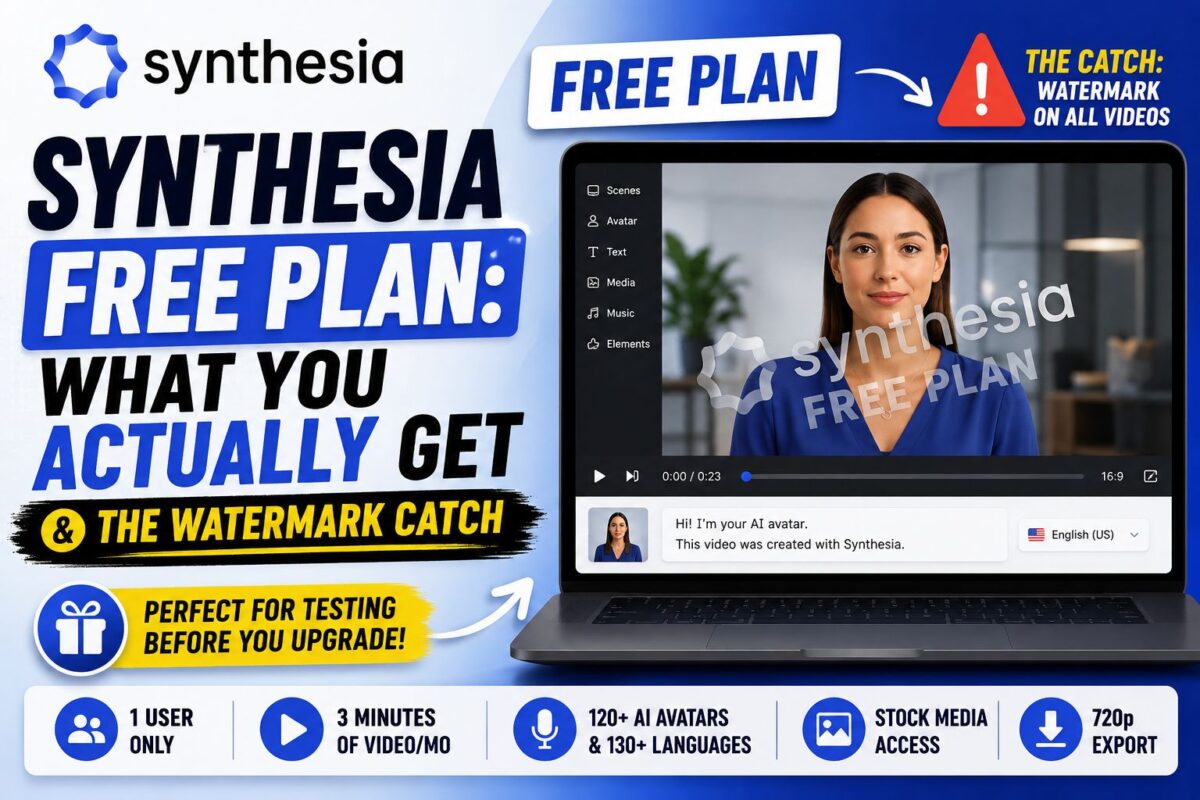
The Synthesia free plan is real, permanent, and requires no credit card — but it's built for exactly one job, and it's not the job most people hope it will do.
Here's the plain version: the free tier is an evaluation sandbox, not a production tool. You get enough minutes to learn the workflow and judge avatar quality against your use case, and just enough restrictions (watermark, 9 avatars, limited output options) that publishing real work from it isn't practical. That's by design, and honestly, it's a fair design.
This post covers exactly what's included, what changed in 2025–2026 (the limits moved, and older reviews are wrong), the restrictions that actually bite, and the signals that it's time to upgrade — or look elsewhere. (The full paid-tier picture lives in my complete Synthesia review.)
Activate the Free Plan in 2 Minutes — Everything Below Is Testable TodayKey Takeaways
- The current free plan includes ~10 minutes of video per month (1,200 credits), 9 stock avatars, 60+ templates, and 160+ languages — no credit card required.
- Every video carries a Synthesia watermark, and export options are restricted — sharing works via link, while MP4 download is a paid-plan feature.
- Older reviews cite a 3-minute limit; Synthesia raised free allowances during 2025–2026, so verify against the live pricing page rather than dated articles.
- Upgrade triggers: needing watermark-free output, MP4 downloads, more avatars, or any client-facing work — that's Starter at $18–29/month.
What's Included in the Synthesia Free Plan?
The current free tier (Synthesia calls it the Basic plan) includes:
- ~10 minutes of video per month — metered as 1,200 credits, where 120 credits = 1 finished minute
- 9 stock AI avatars — a small but reasonably diverse sample of the 240+ full library
- 160+ languages and voices — notably, the full language range is not paywalled
- 60+ templates and the standard scene-based editor
- Screen recording — the built-in recorder works on free
- 1 editor seat plus 3 guest collaborators
- Shareable video links — anyone can view your videos via link
That's a genuinely usable learning environment. You can experience the entire workflow — script, avatar, scenes, generate — exactly as paid users do. If you're starting from zero, my step-by-step Synthesia tutorial is built to be followed on the free plan.
A note on conflicting numbers: if you've read that the free plan gives “3 videos” or “3 minutes per month,” that was true historically — Synthesia expanded free allowances during 2025–2026, and multiple current sources (including Synthesia's own pages) now cite ~10 minutes monthly. Plans change often; treat the live pricing page as the only authority.
The Restrictions That Actually Matter
The Watermark
Every free-plan video carries Synthesia branding. For internal experiments, fine. For anything client-facing, branded, or published — a non-starter. This is the single restriction that converts most serious users to paid.
Download and Export Limits
Free users share videos via link; downloading the MP4 is a paid-plan capability. When testers compared platforms, this limitation stood out — some competitors allow watermarked-but-downloadable output on free tiers. If your workflow requires the file itself (uploading to an LMS, YouTube, or a client portal), the free plan can't complete it.
9 Avatars, No Personal Avatar
Nine avatars is enough to judge rendering quality but not to find “your” presenter. Custom avatars — including the Personal Avatar digital twin — require annual paid plans, as covered in my Synthesia custom avatars guide.
No AI Script Assistant
The AI-assisted script generation and refinement features sit behind paid tiers — one tester noted being prompted to upgrade on the second use. On free, you're writing scripts manually (which, frankly, you should learn to do anyway).
The Missing Extras
Custom fonts, branded share pages, audio-only downloads, and priority rendering are all paid features. None blocks evaluation; all block production polish.
What the Free Plan Is Genuinely Good For
Used as intended, the free tier answers the questions that actually matter before spending money:
- Does the avatar quality clear your bar? Generate a 60-second video with your real content and show it to five people from your target audience. Their reaction is worth more than any review.
- Does the workflow fit your team? The PowerPoint-simple editor is the platform's biggest selling point — verify your least technical colleague agrees.
- Do the voices handle your vocabulary? Brand names, acronyms, and technical terms are where AI voices stumble. Test yours specifically.
- Does your use case survive moderation? Content policies are conservative; regulated industries should confirm their material generates cleanly before committing.
Ten monthly minutes covers all four tests with room to iterate. What it doesn't cover: any ongoing publishing schedule, however modest.
Free vs Starter: When to Upgrade
The upgrade decision is simpler than most pricing decisions because the free plan telegraphs it clearly. Move to Starter ($29/month, or $18/month billed annually) when any of these becomes true:
- You need watermark-free video — the moment work becomes client-facing or published
- You need MP4 downloads for an LMS, YouTube, or any external platform
- You want real avatar selection — Starter unlocks 125+ avatars plus AI dubbing and the script assistant
- You're producing on any regular schedule — even monthly
Starter keeps the same ~10 minute/month allowance (120 minutes/year on annual billing), so the upgrade buys output rights and features, not volume. If volume is your constraint, you're shopping between Creator ($64–89/month, ~30 minutes) and Enterprise — the full tier math, including the per-seat and overage traps, is in my Synthesia pricing breakdown, and the top-tier picture is in the Enterprise plan features guide.
And if the free plan showed you the avatars don't fit your use case at all — that's a successful test too. Several competitors offer more generous free tiers (Vidnoz allows up to 30 free minutes monthly; HeyGen permits downloadable 720p videos on free), and my roundup of cheaper Synthesia alternatives maps which tool fits which job.
Outgrown Free? Starter Drops to $18/Month on Annual BillingFAQ: Synthesia Free Plan
Is Synthesia really free?
Yes — the Basic plan is permanently free with no credit card required. It includes roughly 10 minutes of video monthly with 9 avatars and 160+ languages. It's an evaluation tier, not a production plan.
Does the free plan have a watermark?
Yes, every free-plan video carries Synthesia branding. Watermark removal starts with the Starter plan at $18–29/month.
Can I download videos on the free plan?
MP4 download is a paid feature — free users share videos via link. If you need the file itself, budget for Starter.
Is there a Synthesia free trial of paid features?
Synthesia doesn't run a traditional time-limited trial of paid tiers; the free plan is the trial. You can generate a sample video on their site before even creating an account.
How many videos can I make on the free plan?
As many as fit in ~10 minutes (1,200 credits) per month — that's ten 1-minute videos or three 3-minute videos. Minutes reset monthly and don't roll over.
The Bottom Line
Treat the free tier as a two-week evaluation project, not a production plan, and it delivers exactly what it promises: a zero-risk answer to whether AI avatars work for your content. Run the four tests above, watch how fast the watermark starts bothering you, and you'll know your answer. For most people, the Synthesia free plan settles the buy-or-skip question inside the first ten minutes it gives you.
