
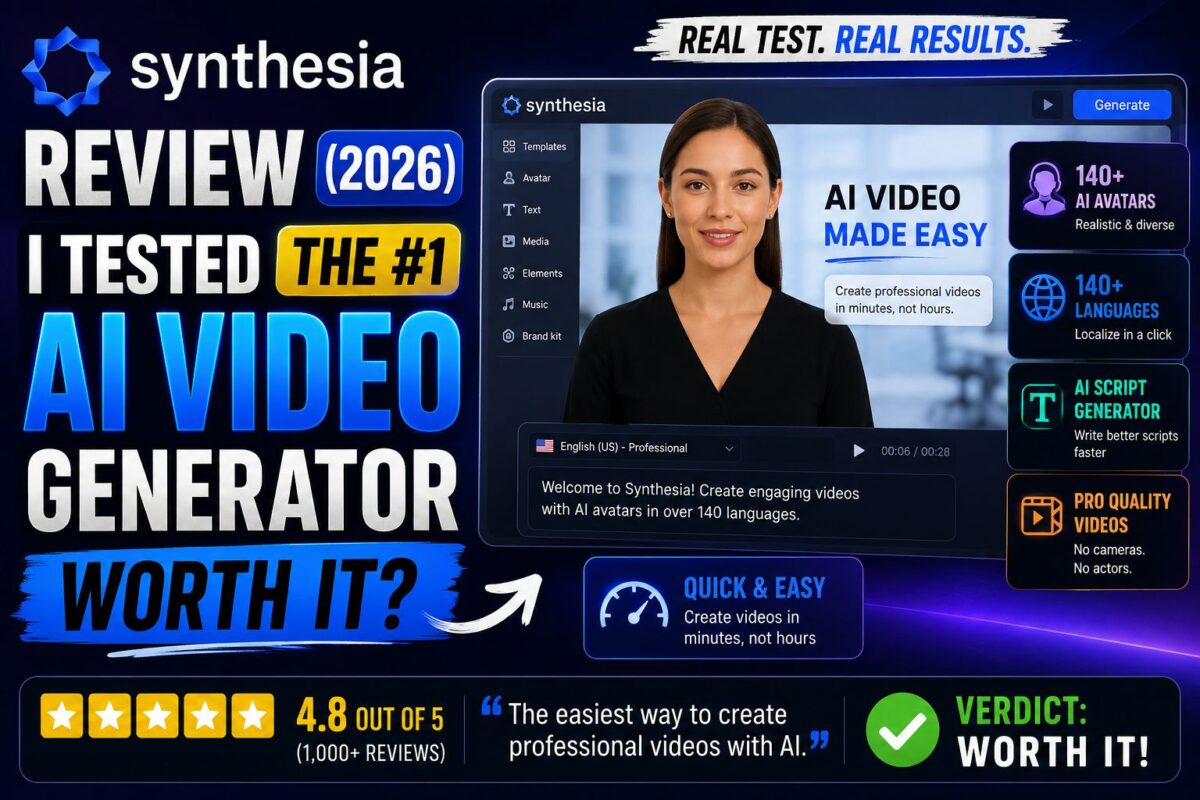
This Synthesia review is for anyone trying to figure out whether the most talked-about AI video generator is actually worth paying for in 2026 — or whether the hype is doing the heavy lifting.
Here's my short answer up front: Synthesia is the best AI avatar video platform for training, onboarding, and explainer content — and one of the weakest choices for personality-driven content like vlogs or ads. Which side of that line you sit on decides everything.
I spent time inside the platform on both the free and paid tiers, dug through 2,700+ verified G2 reviews (4.7/5 average), and compared it head-to-head against HeyGen, Colossyan, and D-ID. This review covers what Synthesia.io actually does, what it costs (including the fees nobody mentions), where the avatars still fall into the uncanny valley, and who genuinely gets ROI from it.
Key Takeaways
- Synthesia turns a text script into a presenter-led video with 240+ stock AI avatars in 160+ languages — no camera, studio, or editing skills required.
- Pricing starts at $18/month (annual Starter) but the real constraint is video minutes: roughly $2.90 per finished minute on paid tiers, and unused minutes don't roll over.
- Best for: L&D, HR, onboarding, compliance, and multilingual training at scale. Weak for: YouTube personality content, emotional ads, and anything where authenticity beats polish.
- Enterprise contracts run a median of ~$30,000/year (Vendr data), with SCORM export and 1-click translation locked to that tier.
What Is Synthesia and How Does It Work?
Synthesia is a browser-based AI video generator that converts written scripts into videos presented by lifelike digital avatars. You type your script, pick an avatar and voice, choose a template, and the platform renders a finished video in minutes.
Founded in 2017 by AI researchers from UCL, Stanford, TUM, and Cambridge, Synthesia has grown into the category leader — the company claims its platform is used by a majority of the Fortune 100, with customers including Zoom, Heineken, Reuters, and Bosch.
The workflow feels closer to building a PowerPoint deck than editing a video:
- Write or import a script — type it, paste it, or upload a PDF, Word doc, or PowerPoint file.
- Pick an avatar and voice — 240+ stock avatars, filtered by style, ethnicity, and tone.
- Choose a template and layout — 60+ pre-built templates for training, demos, and explainers.
- Generate — most videos render in a few minutes.
The 2026 version added a chat-based Assistant (an agentic AI that edits scripts and visuals for you in real time) and AI Playground, which gives you access to Veo 3.1 and Sora 2 for generating b-roll clips without leaving the platform. If you want the full walkthrough, I've written a step-by-step guide on how to use Synthesia for your first video.
Try Synthesia Free — 10 Video Minutes/Month, No Credit CardSynthesia Avatar Quality: Honest Assessment
Avatar quality is the question that decides whether Synthesia works for you, so let's be direct about it.
The good: Synthesia's avatars are among the most polished in the industry. Lip-sync is accurate, the newer “expressive” avatars adapt tone and body language to your script, and in a corporate training context most viewers won't flag them. On G2, “realistic avatars” is the 3rd most-praised attribute (788 mentions).
The bad: they still read as AI when the stakes are emotional. The same G2 data shows 443 mentions of “avatar limitations” and 372 of “AI limitations” — the uncanny valley is the single most common complaint. One agency test I found compared AI avatar ads against human-recorded creatives and found that even roughly filmed human videos outperformed polished avatar videos for paid advertising.
The practical rule: when your viewer needs information, Synthesia avatars clear the bar. When your viewer needs to trust, feel, or buy, they usually don't.
You can also create a custom avatar of yourself — a webcam-based Personal Avatar is included with annual plans, while the high-end Studio Express-1 avatar is a $1,000/year add-on. I break down the difference (and whether the studio version is worth quadruple digits) in my guide to Synthesia custom avatars.
Synthesia Features: What You Actually Get
Text-to-Video With 160+ Languages
Language support is Synthesia's most defensible moat. You write your script in English and generate the same video in 160+ languages and accents with natural lip-sync. For global teams localizing compliance or onboarding content, users report cutting localization costs by up to 80%.
The AI dubbing feature preserves the original speaker's voice and tone in translated versions, and lip-sync-matched dubbing is available (at 2x credit cost). Full details in my breakdown of Synthesia video translation.
Templates, Brand Kits, and the Editor
The editor ships with 60+ templates weighted heavily toward corporate use: training modules, product demos, SOP videos, internal comms. Brand kits (logo, colors, fonts applied automatically) exist but are gated to Enterprise plans — a genuine annoyance for small teams that care about consistency.
The editor itself is intentionally simple. Think slides-with-a-presenter, not Premiere Pro. You can arrange scenes, add text, images, screen recordings, and music — but complex timeline editing is outside its scope.
Interactive Video and Screen Recording
Creator plans and above can add clickable CTAs, quizzes, and branching paths to videos — genuinely useful for training completion tracking. A built-in Chrome screen recorder handles product walkthroughs, and the avatar can narrate over your recording.
API and Automation
From the Creator plan up, the Synthesia API lets you generate videos programmatically — including bulk personalization from a CSV file (hundreds of personalized videos from one template). API-generated minutes deduct from your plan's allowance.
Synthesia Pricing: What It Really Costs in 2026
Synthesia runs four tiers, and the sticker price is only half the story:
| Plan | Monthly | Annual | Video Minutes | Avatars |
|---|---|---|---|---|
| Free | $0 | $0 | ~10 min/month | 9 |
| Starter | $29 | $18/mo | 120 min/year | 125+ |
| Creator | $89 | $64/mo | 360 min/year | 180+ |
| Enterprise | Custom | Custom | Unlimited | 240+ |
The real cost driver is the credit system: 120 credits = 1 minute of finished video, and unused minutes don't roll over. Work out the per-minute math and both paid tiers land around $2.90 per minute — fine for a team producing 10 short videos a month, painful for anyone producing at volume.
Watch for the costs that don't appear on the pricing page: overage minutes run $2–$5 each, every additional editor needs their own full seat (minutes don't pool between seats), and the Studio avatar add-on is $1,000/year. Enterprise deals land at a median of roughly $30,000/year according to Vendr marketplace data across 17 verified purchases, with a range of $20K to $100K+.
I've done the full tier-by-tier math — including the per-seat trap that catches most teams — in my complete Synthesia pricing breakdown. And if you just want to test the waters, here's exactly what the Synthesia free plan includes before the watermark and download limits kick in.
For larger organizations, features you'd assume are standard — SCORM export for your LMS, single sign-on, 1-click translation — are locked behind the custom-priced tier. My Synthesia Enterprise pricing guide covers when that jump actually makes sense.
Synthesia Pros and Cons
After testing the platform and cross-referencing thousands of user reviews, here's the honest scoreboard.
Pros
- Fastest path from script to professional video. A 2–5 minute training video takes 15–30 minutes to script, build, and render. Corporate users report up to 90% reduction in production time versus traditional filming.
- Unmatched multilingual production. 160+ languages with one workflow. Nothing else in the category matches the localization depth.
- PowerPoint-simple editor. Non-technical L&D and HR teams produce videos independently — the most common G2 praise is ease of use (1,306 mentions).
- Enterprise-grade trust. SOC 2 Type II, GDPR, and ISO 42001 compliant, with strict consent requirements for avatar creation and content moderation that blocks deepfakes.
- Update-by-editing. When a policy changes, you edit the script and regenerate — no reshoots. This alone justifies the cost for compliance-heavy teams.
- Instantly editable at scale. Templates plus brand assets mean video #50 takes a fraction of the effort of video #1.
Cons
- Uncanny valley persists. Avatars are polished but detectable, especially in close-ups and emotional delivery. Engagement-sensitive content suffers.
- Minute caps bite fast. 10–30 minutes/month on paid self-serve tiers makes volume production expensive; minutes don't roll over or pool across seats.
- Essential features are Enterprise-gated. SCORM, brand kits, and 1-click translation shouldn't require a five-figure contract, but they do.
- Content moderation can be opaque. Some legitimate projects get rejected with limited explanation; appeals take 1–2 weeks. Users also report there's no refund policy.
- Limited creative control. No timeline editing, limited avatar customization (backgrounds and outfits are restricted below Enterprise), and voices remain identifiably synthetic versus premium TTS engines.
Who Is Synthesia Best For? (And Who Should Skip It)
Synthesia is worth it if you are:
- An L&D, HR, or operations team producing onboarding, compliance, or SOP videos — this is the platform's home turf, and my deep dive on Synthesia for training videos shows why L&D teams standardize on it.
- A global company localizing video into multiple languages — the translation workflow is the strongest in the category.
- A course creator or educator who wants professional lectures without camera anxiety.
- A sales team producing product demos and enablement content at scale.
Skip Synthesia if you are:
- A YouTuber or personal brand — audiences detect AI presenters, and engagement drops of 30–50% have been reported when avatars replace real humans. I've written an honest assessment of Synthesia for YouTube if faceless channels are your plan.
- A performance marketer running persuasion-based ads — human authenticity still converts better. My guide on Synthesia for marketing videos maps exactly where it works and where it flops.
- A high-volume creator on a budget — the per-minute economics punish volume. Several Synthesia alternatives offer dramatically better output-per-dollar.
What's New in Synthesia for 2026?
Synthesia shipped meaningfully this year, and several updates change the calculus from older reviews you may have read.
The chat-based Assistant replaced the legacy AI Video Assistant. Instead of a form-based generator, you now work with an agentic editor that takes prompts, uploaded files (PDF, PPTX, DOCX), or URLs — and can update scripts and visuals inside your project in real time. Legacy Assistant videos were capped at 5 minutes; the new flow is considerably more flexible.
AI Playground brings Veo 3.1 and Sora 2 in-platform. You can generate cinematic b-roll clips from prompts without leaving Synthesia — a direct answer to the “avatars-on-a-static-background” criticism. Note the credit cost: Veo clips run 48 credits each, and prompted avatar b-roll actions cost 96 credits per asset, so heavy b-roll use eats your monthly allowance quickly.
Expressive avatars got a real upgrade. The current generation adapts tone of voice, body movement, and facial expression to script context — an avatar reading bad news now actually looks like it. It narrows (but doesn't close) the realism gap with HeyGen's Avatar IV.
PowerPoint-to-video improved. Imports now retain original slide designs and convert speaker notes into scripts automatically, which is quietly one of the biggest time-savers for L&D teams sitting on decks of existing training material.
Avatar and language counts keep climbing. The library now stands at 240+ stock avatars and 160+ languages, up from roughly 150 avatars and 120 languages when most older reviews were written — worth remembering when you read 2024-era criticism of “limited selection.”
None of these updates changes the fundamental verdict, but they do mean Synthesia in 2026 is a substantially more capable product than the one earlier reviews evaluated.
How Does Synthesia Compare to Competitors?
The AI video category matured fast, and Synthesia is no longer the automatic pick. Quick landscape:
- HeyGen is the closest rival and wins on avatar realism — its Avatar IV renders presenters that genuinely pass as human. Synthesia wins on enterprise structure, security, and predictable billing. Full head-to-head in my Synthesia vs HeyGen comparison.
- Colossyan is the training-focused challenger, with multi-avatar conversation scenes and quiz features at a lower entry price. See Synthesia vs Colossyan.
- D-ID takes a different approach entirely — animating photos at a fraction of the cost. My Synthesia vs D-ID breakdown covers when cheap-and-simple beats full-studio.
The competitive gap has narrowed to the point where use case, not brand, should decide your pick.
My Verdict: Is Synthesia Worth It in 2026?
Yes — for the right buyer. Synthesia remains the most mature, most trusted AI video platform for business content. If you're producing training, onboarding, internal comms, or multilingual explainers, the time savings are real and the quality clears the bar comfortably. Going from a full-day production cycle to a 30-minute session justifies the Creator plan for anyone shipping more than a few videos a month.
No — if your content lives or dies on human connection. The avatars have improved dramatically, but they haven't crossed the authenticity line. For YouTube channels, personal brands, and conversion-focused ads, you'll get better results from a camera or from a creator-oriented alternative.
Rating: 4.5/5 for business and L&D use. 3/5 for creators and marketers.
My recommendation: start on the free plan, build one real video for your actual use case, and show it to five people from your target audience before spending a dollar. Their reaction will tell you more than any review — including this one.
Start Your Free Synthesia Test Video — Decide in 15 MinutesFAQ: Synthesia Review
Is Synthesia legit and safe to use?
Yes. Synthesia is SOC 2 Type II, GDPR, and ISO 42001 compliant, requires explicit consent from actors whose likenesses become avatars, and enforces content moderation against deepfakes and impersonation. It's used by major enterprises including Zoom, Reuters, and Heineken.
Does Synthesia have a free plan?
Yes — the free tier includes roughly 10 minutes of video per month with 9 stock avatars and 160+ languages, but output carries a watermark. It's designed for evaluation, not production.
How much does Synthesia cost per month?
Starter costs $29/month ($18 on annual billing) for ~10 minutes of video per month. Creator costs $89/month ($64 annual) for ~30 minutes. Enterprise is custom-priced, typically $20,000–$100,000+ per year.
Can Synthesia avatars pass as real humans?
In professional, information-delivery contexts, mostly yes. In emotional, close-up, or personality-driven content, viewers typically detect the AI. HeyGen's Avatar IV currently leads on raw realism.
Is Synthesia good for YouTube?
It works for faceless informational and educational channels, but it's a poor fit for personality-driven content — reported engagement drops of 30–50% versus human presenters make it risky for channels built on connection.
Final Thoughts
Synthesia earned its position as the enterprise default in AI video: the workflow is genuinely fast, the language support is unmatched, and the compliance posture is the strongest in the category. Just buy it for what it is — a scalable explainer machine, not a replacement for human presence. If that's the job you need done, this Synthesia review comes down firmly on the side of worth it.
