
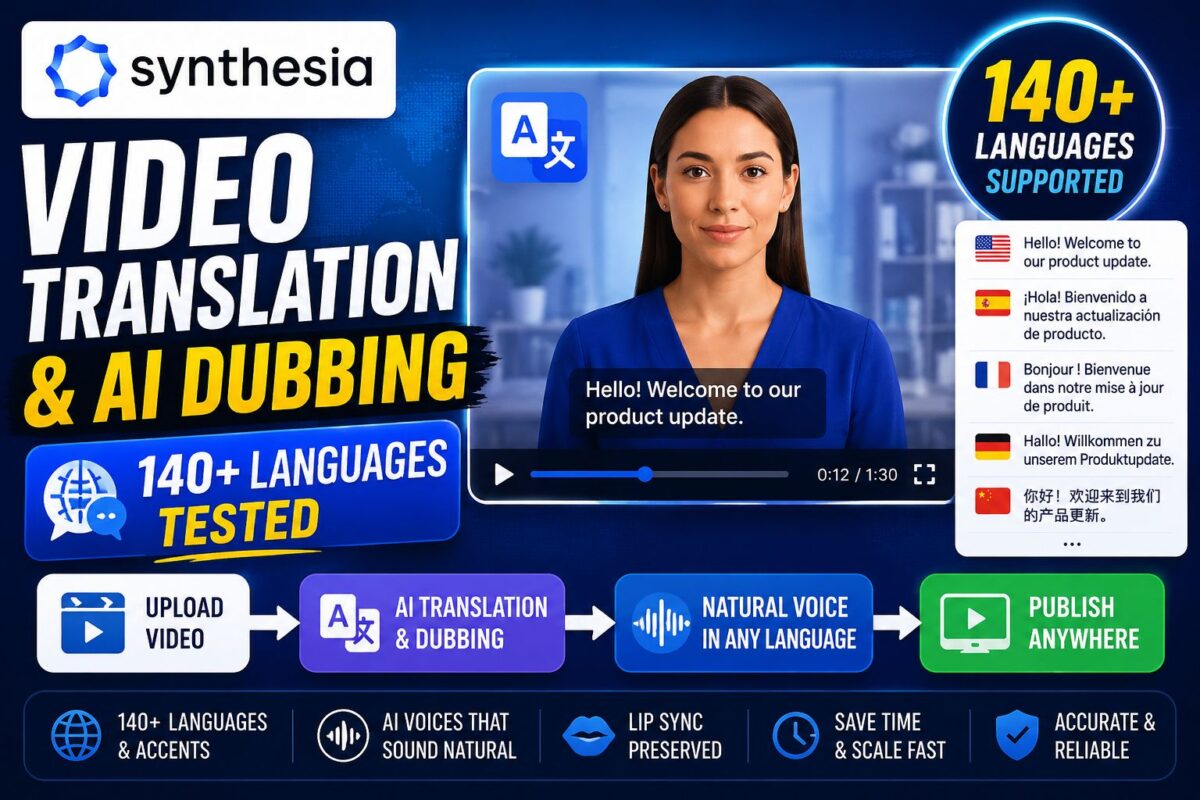
Synthesia video translation is the feature that turns one training video into forty — and it's the single strongest reason the platform holds its lead over cheaper, prettier competitors.
Here's the core promise: write your script once, generate the video once, then re-render the same video in any of 160+ languages and accents without re-recording, re-hiring, or re-editing anything. For global teams, users report localization cost reductions of up to 80% — and having dug into how the pipeline actually works, that number is believable for the right workloads.
But the feature set is layered across plan tiers in ways the marketing glosses over, and some of the best parts are Enterprise-gated. This post maps what translation and dubbing actually do, what each capability costs in credits, and where the honest limits are. (For how translation fits the platform's overall value, my complete Synthesia review has the full picture.)
Test the Language Library Free — All 160+ Voices Are on the Free TierKey Takeaways
- Synthesia supports 160+ languages and voices, including regional variants (Spanish–Mexico, Portuguese–Brazil) and local accents — and the language library is available even on the free tier.
- 1-click video translation re-renders an entire finished video in a new language, but full 1-click translation is gated to Enterprise plans.
- AI dubbing preserves the original speaker's voice, accent, and tone in the translated version; adding lip-sync matching doubles the credit cost (2x).
- The workflow's real advantage isn't the language count — it's that translated videos stay editable, so updates propagate across every language version.
How Synthesia Video Translation Works
The translation system operates at three levels, and knowing which one you're buying matters.
Level 1: Multilingual Generation (All Plans)
The foundation is simple: your script can be generated in any supported language from day one. Pick a voice in the target language, paste (or translate) your script, and the avatar delivers it with matched lip-sync. The full 160+ language library is not paywalled — even free-tier users can generate videos in Vietnamese, Hindi, or Swiss German.
This level requires you to handle the script translation yourself (or via the AI assistant), but it's fully manual-controllable — which regulated industries often prefer anyway.
Level 2: AI Dubbing (Starter and Creator)
AI dubbing takes an existing video and re-voices it in a new language. Two capabilities distinguish it from generic dubbing tools:
- Voice preservation: the dubbed version keeps the original speaker's voice character, accent, and tone — your CEO still sounds like your CEO in Japanese.
- Optional lip-sync matching: mouth movements re-render to match the translated audio. This is the premium effect, and it consumes 2x credits — a 5-minute video with lip-synced dubbing bills as 10 minutes.
Dubbing is included on Starter and Creator plans (deducted from your normal credit allowance), which makes it the most accessible serious localization feature. On Enterprise, dubbing shows up as a contract line item.
Level 3: 1-Click Translation (Enterprise)
The headline feature — select a finished video, pick target languages, get complete translated versions with one action — is locked to Enterprise contracts. So is the deepest integration with brand kits and translation workflow management.
This is the gating that frustrates mid-sized teams most: the companies that would benefit most from push-button localization (10–50 videos, 5–10 languages) are exactly the ones stuck below the Enterprise threshold. If that's you, the workaround is Level 1 + the duplicate-project pattern: duplicate your video, swap the language and script, keep visuals identical. More clicks, same output.
The Credit Math of Localization
Translation obeys the platform's universal meter — 120 credits per finished minute — and localized versions bill like new videos. The realistic math for a 3-minute training video in 5 languages:
- Base video: 3 minutes = 360 credits
- 4 additional language versions: 12 minutes = 1,440 credits
- With lip-synced dubbing instead: those 12 minutes bill at 2x = 2,880 credits
On a Creator plan (3,600 credits/month), one multilingual training module can consume most of a month's allowance. This is why serious localization programs end up in Enterprise conversations — unlimited minutes change the economics completely. The full cost model, including overage rates, is in my Synthesia pricing breakdown.
For high-volume localization pipelines, the smarter architecture is often programmatic: template once, generate per-language via the API, and let your documentation system trigger re-renders. My guide to automating translation via the Synthesia API covers that pattern.
Run One Multilingual Test Video — Free Plan Includes Every LanguageWhat the Translation Quality Is Actually Like
Honest assessment, because this is where marketing and reality diverge:
Voice quality is strong and improving. Delivery is clear and natural-paced across major languages, especially with well-punctuated scripts. Regional accent options (not just “Spanish” but Mexican vs European Spanish) are a genuine differentiator.
Machine translation still needs human review. For technical terminology, brand names, and regulated content, run translated scripts past a native speaker before generating. Auto-generated subtitles are usually fine for internal content; customer-facing and compliance material deserves review. The cost of skipping this isn't hypothetical — a mispronounced product name in 12 language versions is 12 re-renders on your credit meter.
Lip-sync matching is good, not perfect. The 2x-credit lip-sync is convincing at conversational pace and visibly synthetic on rapid or emotional delivery. For talking-head training content it clears the bar comfortably.
Where it beats competitors: HeyGen advertises more raw languages (175+), but Synthesia's workflow — same project, editable script per language, propagating updates — is the more mature localization system. G2 reviewers repeatedly cite multilingual translation as Synthesia's clearest competitive advantage, and it's the feature enterprise buyers name first.
Best Practices for Multilingual Synthesia Videos
- Write translation-ready scripts. Simple sentence structures, no idioms, no culture-locked jokes. What translates cleanly generates cleanly.
- Structure for text expansion. German runs ~30% longer than English; leave layout headroom so translated text doesn't collide with the avatar.
- Lock visuals before translating. Every post-translation visual edit multiplies across language versions.
- Match avatars to markets thoughtfully. The avatar library's diversity exists for this — regional teams respond measurably better to presenters who feel local.
- Batch your language rollouts. Generate all versions in one session while the source project is fresh, and log which version is canonical for future edits.
If you're new to the platform, the underlying workflow — scripts, scenes, generation — is the same one covered in my step-by-step guide to getting started with Synthesia; translation is a layer on top, not a separate tool.
Localize Your First Training Video — Start Free, Upgrade When It WorksFAQ: Synthesia Video Translation
How many languages does Synthesia support?
160+ languages and voices, including regional variants and local accents. The full language library is available on every plan, including free — what varies by tier is the translation workflow automation.
What's the difference between translation and AI dubbing in Synthesia?
Translation generates the video natively in the target language with a chosen voice. AI dubbing re-voices an existing video while preserving the original speaker's voice character and tone — with optional lip-sync matching at 2x credit cost.
Is 1-click translation available on all plans?
No. Push-button whole-video translation is an Enterprise feature. Starter and Creator users achieve the same result manually by duplicating projects and swapping language and script.
Does dubbing cost extra?
Dubbing draws from your normal credit allowance on Starter and Creator plans. Enabling lip-sync matching doubles the credit consumption for the dubbed content.
Is the translation quality good enough for customer-facing content?
Voice delivery, yes. Script translation should get native-speaker review for anything customer-facing, technical, or regulated — machine translation of terminology and brand names remains the weak point.
The Bottom Line
Localization is where Synthesia stops competing on avatar looks and wins on system design: one editable source of truth, propagated across every language your organization speaks. Budget the credits honestly, review translated scripts like the publishing step it is, and Synthesia video translation delivers the rare AI promise that survives contact with production — one recording session, a global training library.
