
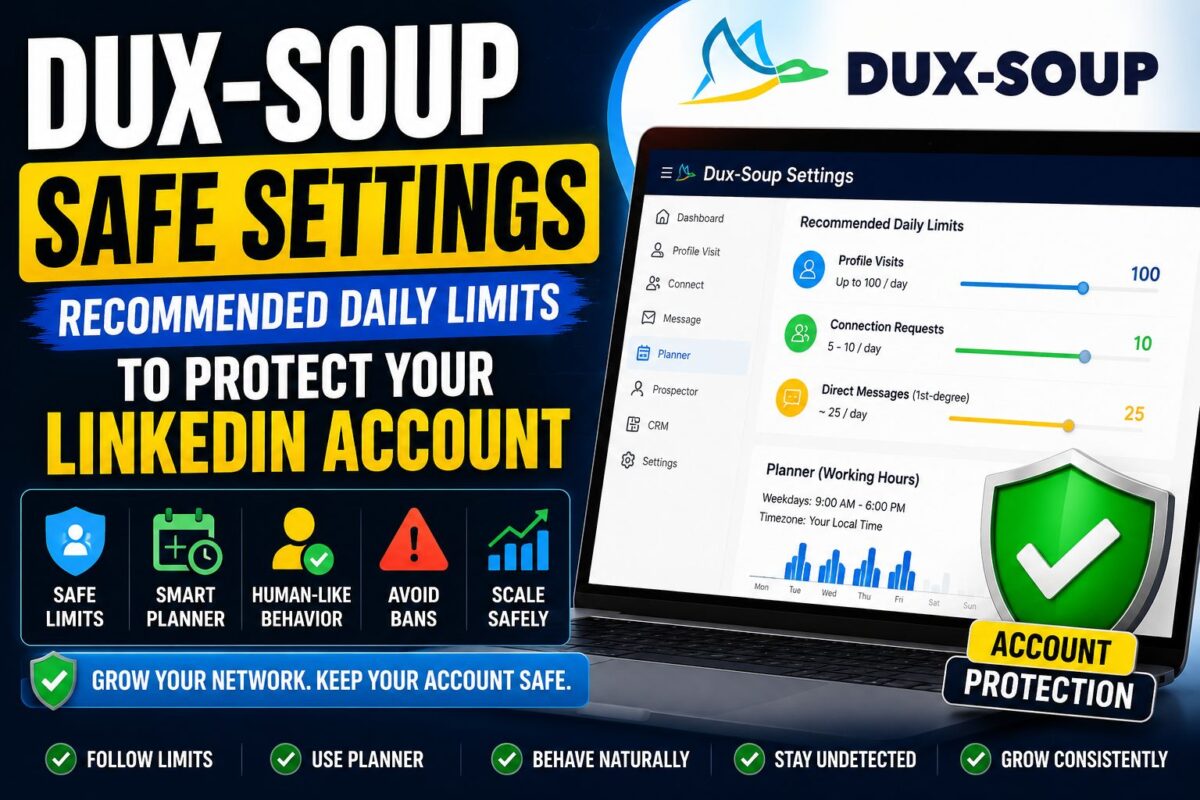
Every LinkedIn horror story you've read about automation has the same plot: someone installed a tool, cranked every limit to maximum, and got flagged within a week. The dux-soup recommended settings below exist so you never star in that story.
These are the actual numbers — by account age and plan — plus the planner configuration and the five behavioral rules that matter as much as any slider.
Key Takeaways
- Beginners: ~100 profile visits/day, 5-10 connection requests/day, ~25 direct messages/day
- Established Turbo accounts: up to 200 visits/day (max 500), ~25 invites/day capped near 3% of your total connections, messages ramping 50 → 250/day
- The planner is non-negotiable: human working hours, with gaps
- Never browse LinkedIn (desktop or phone) while the robot runs — overlapping sessions are a classic detection tell
The Numbers: Daily Limits by Account Profile
New or Cautious Accounts (First 2-4 Weeks)
| Action | Daily Limit |
|---|---|
| Profile visits | up to 100 |
| Connection requests | 5-10 |
| Direct messages (1st-degree) | ~25 |
These feel painfully slow. That's the point. LinkedIn's models weight sudden change heavily — an account that did nothing for months and starts firing 80 invites a day is announcing itself.
Established Accounts on Turbo (After Ramp-Up)
| Action | Starting Point | Ceiling |
|---|---|---|
| Profile visits | 200/day | 500/day |
| Connection requests | 25/day | ~3% of your total connections |
| Direct messages (1st-degree) | 50/day | 250/day |
That “3% of connections” rule is the one people miss: an account with 500 connections shouldn't send 25 invites a day just because the slider allows it. Scale invitations with the size and age of your network.
And the hard external cap trumps everything: LinkedIn's ~100 invitations per week limit (introduced in 2021) applies regardless of your settings. Dux-Soup auto-snoozes when LinkedIn shows the “out of invites” notice — let it.
Setting Up the Planner (Your Most Important 5 Minutes)
Dux icon → Planner. Configure the robot's working hours:
- Match your real timezone and workday — 9 a.m. to 6 p.m. where you (or the account owner) live
- Leave gaps — a lunch hour, a random dead afternoon. Spread activity unevenly across the day
- Give it weekends off, or at least sharply reduced hours
Uniform 24/7 activity at machine-perfect intervals is the single most robotic signature an account can emit. The planner converts your automation from metronome to human.
Managing someone else's account? One more rule from Dux-Soup's own playbook: use a VPN matching the account owner's location. An account that lives in Chicago suddenly operating from Lisbon is a geolocation red flag no throttle can fix.
The 5 Behavioral Rules (As Important as the Sliders)
- Don't use LinkedIn while Dux-Soup runs. Not in another tab, not on your phone. LinkedIn tracks session activity; two “yous” clicking simultaneously is a tell. Let the robot finish, then browse.
- One automation tool per account. Ever. Stacked tools create a combined activity fingerprint no human could produce.
- Withdraw stale invitations older than 2-3 weeks. Hundreds of pending requests both throttle your weekly allowance and flag you as a spray-and-pray operator.
- Personalize every template. Spam reports from recipients feed directly into LinkedIn's risk model — generic “I'd love to connect!” blasts generate them.
- Ramp changes gradually. Increasing any limit? Move in small weekly steps, never doubling overnight.
What to Do When LinkedIn Warns You Anyway
Even careful accounts occasionally hit a notice. The recovery protocol:
- Stop all automation for 2-3 days. Completely. No “just this one campaign.”
- Restart at roughly half your previous volume and rebuild slowly
- If restricted, appeal through LinkedIn's official process — polite, concise, and don't mention automation. Identity verification with an ID is increasingly routine, not an accusation
- If warnings repeat, the message is your behavior, not your luck: cut volume further, or shift to profile-visit and 1st-degree activity for a recovery period
The deeper context — what LinkedIn can detect, where the scary ban statistics come from, and the warnings-vs-bans escalation ladder — is in our full is dux-soup safe analysis. And if you keep hitting ceilings despite clean settings, the structural fix is cloud architecture — that's the dux-soup vs expandi trade-off.
Settings Are Half the Story
Limits keep your account alive; they don't make campaigns convert. Message quality, list targeting, and the tool's deeper trade-offs (browser dependency, plan differences, CRM sync) all shape your results — the complete picture is in our full dux-soup review, which scores the platform 4.1/5 for solo operators running exactly the conservative playbook above.
Frequently Asked Questions
What are the recommended Dux-Soup settings for beginners?
Start at up to 100 profile visits, 5-10 connection requests, and about 25 first-degree messages per day, with the planner limited to your working hours. Hold these for 2-4 weeks before ramping anything.
How many connection requests can I safely send with Dux-Soup?
LinkedIn's hard cap is roughly 100 per week. Within that, keep daily invites near 3% of your total connections — 25/day is a reasonable ceiling for a mature account, far less for a small network.
Can I use LinkedIn normally while Dux-Soup is running?
No. Browsing while the robot works — including on mobile — creates overlapping session activity that LinkedIn's detection models flag. Schedule automation via the planner, then use LinkedIn manually outside those windows.
Do safe settings guarantee I won't get banned?
No settings can guarantee that — all automation violates LinkedIn's terms. What conservative limits do is keep you below the behavioral thresholds that trigger enforcement, which is why long-term users following them report years of incident-free operation. New to the tool? Get the setup order right first with our how to use dux-soup walkthrough.
Bottom Line
Print the two tables, set the planner, obey the five rules — that's the entire discipline. The dux-soup recommended settings aren't secret knowledge; they're just the speed limit, and the accounts that survive for years are simply the ones that drive it.
Set It Up Right From Day One — 14-Day Free Trial Start Slow, Scale Safely With Dux-Soup →